'/%3E%3C/svg%3E)

'/%3E%3Cpath%20fill='%23b2b2b2'%20d='M241%20382q0%2016%2017%2026%2017%2011%2042%2011t42-11q16-11%2017-26V269H241'/%3E%3Cpath%20fill='%239f7e00'%20d='M241%20379q0%2014%208%2023%209%209%2021%209%2014%200%2021-9%209-9%209-23V269h-59'/%3E%3Cpath%20d='M241%20339v-70h59v110q0%2014-9%2023l-6%205v-68h-15v72q-8%200-14-4v-68zm59%2040c0%2022%2015%2032%2029%2032%2021%200%2030-18%2030-32v-40h-59'/%3E%3Cpath%20fill='%239f7e00'%20d='M266%20277v5h2v12h-3v-5h2v-5h-9v5h2v5h-4v9h3v18h-5v10h34v-10h-5v-18h3v-9h-4v-5h2v-5h-9v5h2v5h-3v-12h2v-5zm42%20101q0%2010%206%2017%206%206%2015%207%2010-1%2016-7%206-7%206-17v-29h-43'/%3E%3Ccircle%20fill='%230044ad'%20cx='329.5'%20cy='372'%20r='6'/%3E%3Cellipse%20fill='%230044ad'%20cx='300'%20cy='340'%20rx='16'%20ry='21'/%3E%3C/svg%3E)


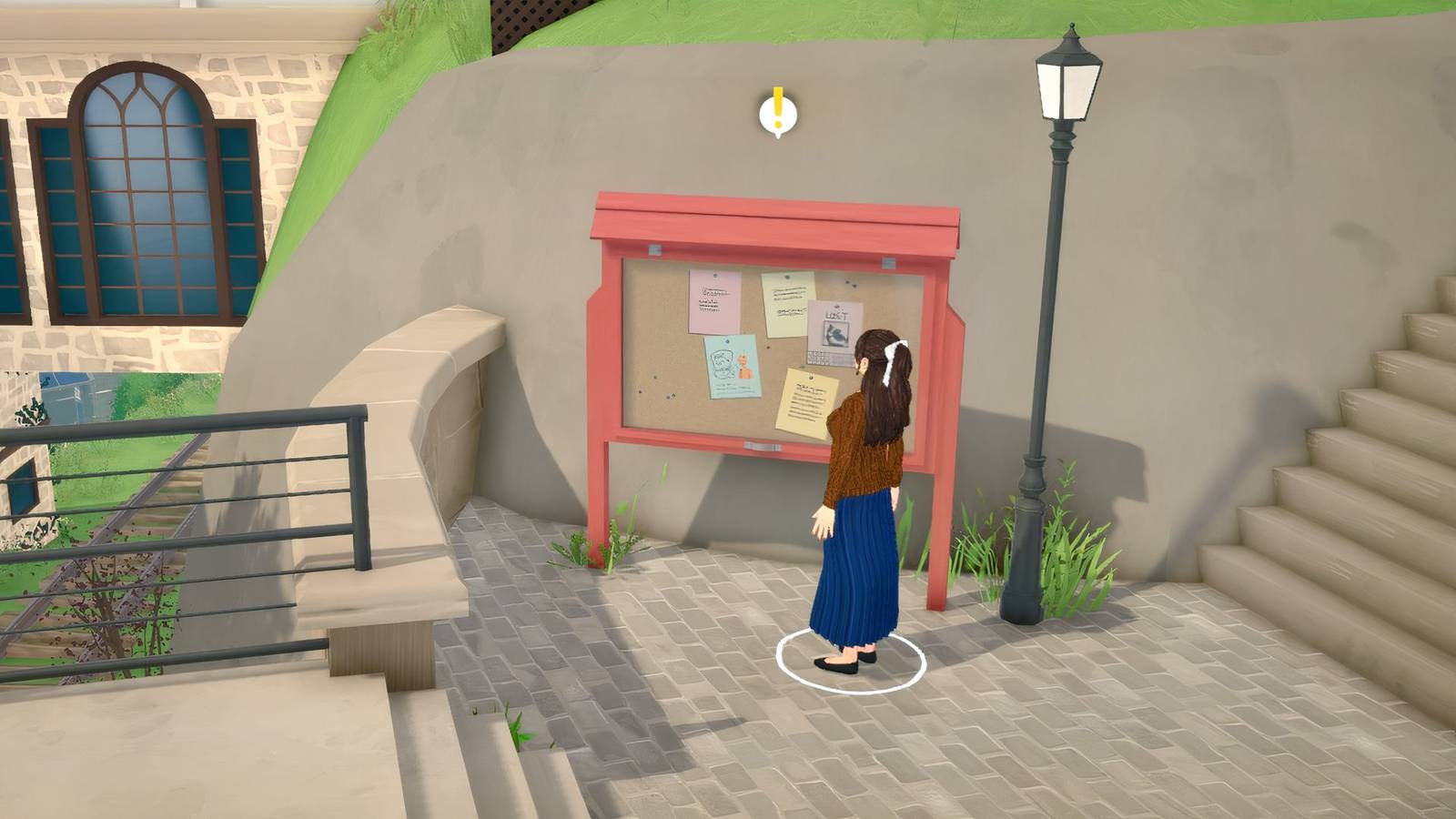


Earning Paradimes (in-game currency) in Paralives isn’t just limited to your job or other ways of making money; you can also make some extra cash on the side by fulfilling requests from townies.
So even if you’re left with no bucks to prepare food for your main Para and the rest of the family, or can’t settle your Bank Statement for the month, you can quickly take on a few requests to get by. For those interested, here’s how to take on and wrap up requests in Paralives.
Related
All Parafolk Needs in Paralives (& How to Relieve Them)
Struggling to figure out how to satisfy all your Para needs, whether at home or outside? This Paralives needs guide can help.
How to Turn in Requests in Paralives
To complete requests in Paralives, just follow these steps:
Look for a request board or a townie with a yellow exclamation mark above them.
Interact with them and accept the task.
Collect the required item, cook and add meal to your inventory, or finish the activity.
Once done, open the Goals section from the side menu, hover over the completed request, and hit “Find Parafolk.”
Select “Talk To” when engaging with them, and once the conversation starts, build up the interaction positively and choose the red Together Card that mentions completing their request.
That’s it! You’ll earn some Paradimes and might even make new friends along the way, so turning in requests is also a fun way to socialize with other Parafolk. Players can also watch the video walkthrough below.
Paralives Request Board Locations
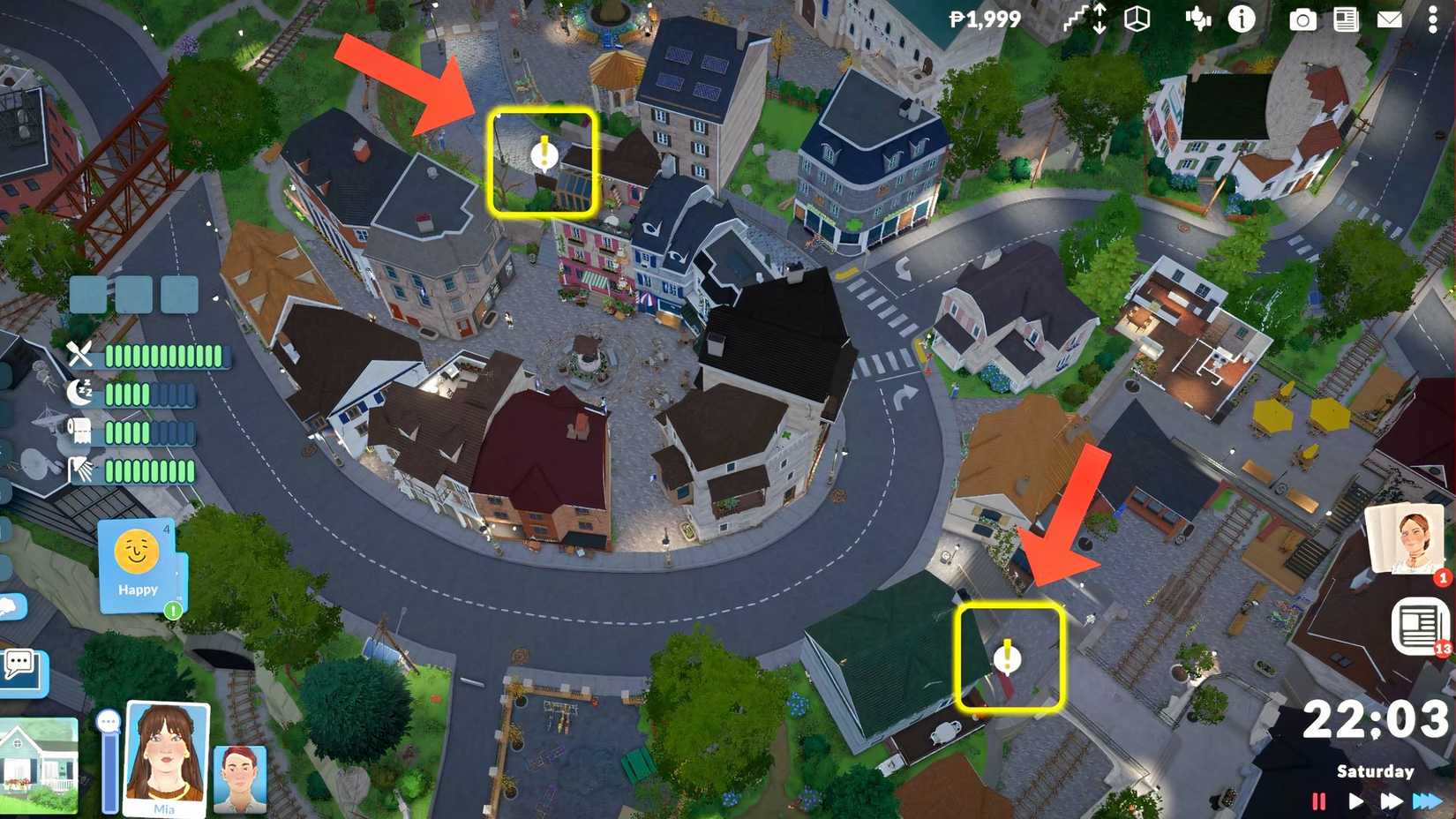
Image via GameRant; Source: Paralives Studio
Apparently, there are two main request boards in Paralives early access, with more likely to be added as the town map expands or gets updated. Here’s where you can find them:
The first daily request board is in front of the Townhall & Library building, just to the left of the bus stop.
The second request board is located at Rail Plaza. Head to the northwest side of the Townhall & Library, and you’ll spot it on a hill near the green-roofed house.
Just so you know, requests change every day, so if you don’t take on specific ones, they may expire the next morning. However, once you’ve accepted one, it usually isn’t time-limited, so you can finish it at your own pace.
How to Complete All Common Townie Requests in Paralives
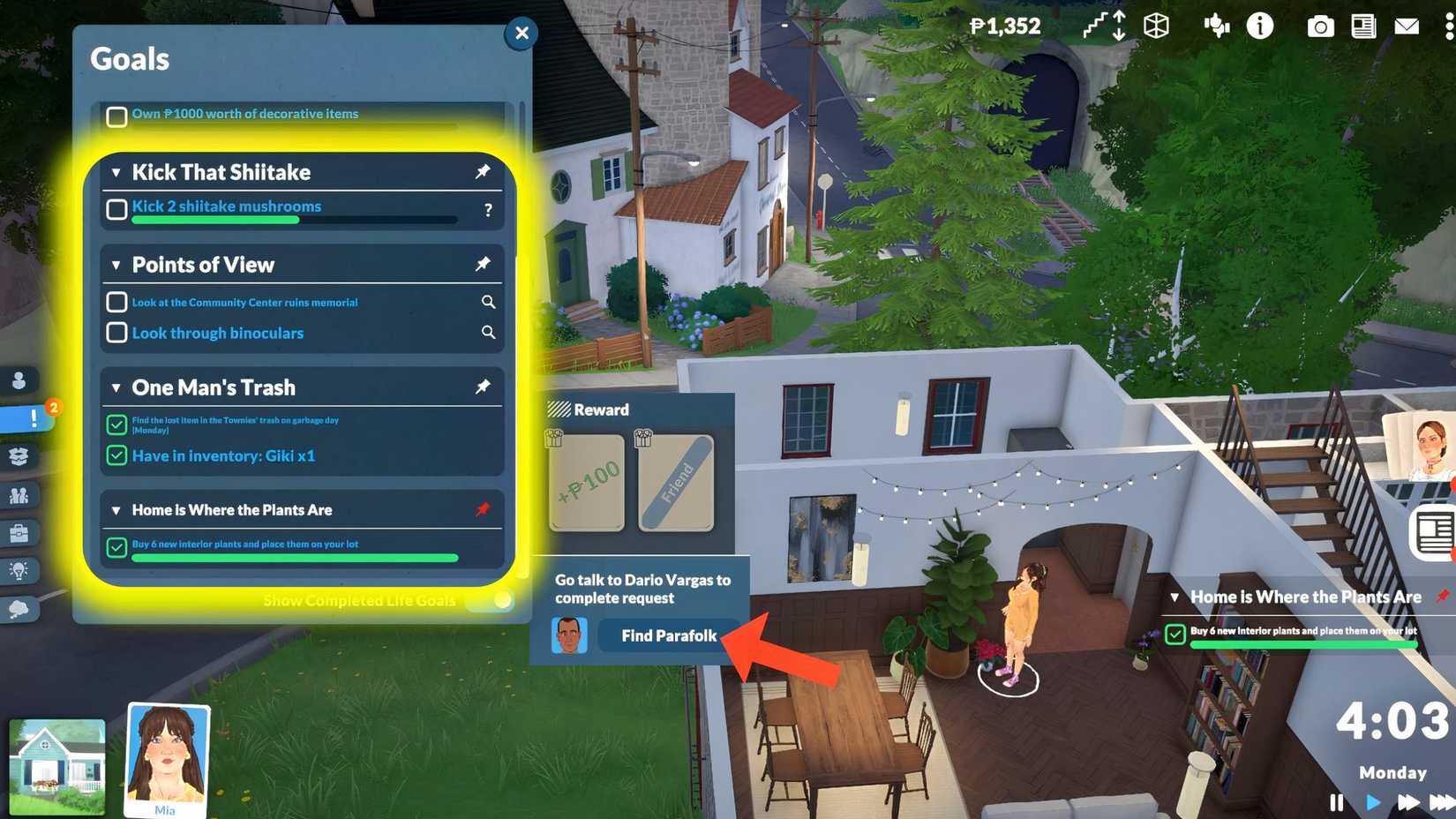
Image via GameRant; Source: Paralives Studio
Townie Request
How to turn in?
Cook 3 Meals for me (Have in inventory: Meal (group portion)x3
Prepare group meals like Frozen Pepperoni Pizza. Once ready, click on it and move it to the inventory (box) located under the Plate label. Repeat this two more times, then head to the Para who wanted food and inform them.
Kick That Shiitake (Kick 2 Shiitake mushrooms)
Zoom into the map and use the navigation keys (W, S, A, D, Q, E) to explore the town. Shiitakes are black mushrooms found in greenish areas opposite the library. Once you spot one, click on it and select ‘Kick’. Do this once again, and then report to the requesting Para.
Dance Like Nobody is Watching (Dance for 4 Hours at a Park)
Look for a park on the Town Map (green tree and bench icon), zoom in on the ground, click anywhere, and select ‘Dance Here’. Speed up time, so hours pass quickly, then speak to the townie who challenged you about it.
Interview People for Book Research (Talk with 3 Paras and ask them what feels like home)
Engage with any three random Parafolk, introduce yourself cheerfully, and pick a few green Together Cards to build a positive conversation. Then choose the red card (Ask them what makes a place feel like home). Repeat this twice, then report back to the request giver
Home is Where the Plants Are (buy 6 interior plants aand place them on your lot)
When in your home, jump into Build Mode, purchase and decorate six indoor plants, then head back to the Para who requested it and inform them.
Likewise, you’ll get similar requests from townies. Some might ask you to chat with a specific age group, like the elderly, collect native gems, flora, and fauna (just use the collect button instead of kick), hunt for lost items in trash cans outside homes, or even dig up treasure chests scattered around the map (interacting with them will show the option).

Released
May 25, 2026
Developer(s)
Paralives Studio
Publisher(s)
Paralives Studio
Engine
Unity


