'/%3E%3C/svg%3E)

'/%3E%3Cpath%20fill='%23b2b2b2'%20d='M241%20382q0%2016%2017%2026%2017%2011%2042%2011t42-11q16-11%2017-26V269H241'/%3E%3Cpath%20fill='%239f7e00'%20d='M241%20379q0%2014%208%2023%209%209%2021%209%2014%200%2021-9%209-9%209-23V269h-59'/%3E%3Cpath%20d='M241%20339v-70h59v110q0%2014-9%2023l-6%205v-68h-15v72q-8%200-14-4v-68zm59%2040c0%2022%2015%2032%2029%2032%2021%200%2030-18%2030-32v-40h-59'/%3E%3Cpath%20fill='%239f7e00'%20d='M266%20277v5h2v12h-3v-5h2v-5h-9v5h2v5h-4v9h3v18h-5v10h34v-10h-5v-18h3v-9h-4v-5h2v-5h-9v5h2v5h-3v-12h2v-5zm42%20101q0%2010%206%2017%206%206%2015%207%2010-1%2016-7%206-7%206-17v-29h-43'/%3E%3Ccircle%20fill='%230044ad'%20cx='329.5'%20cy='372'%20r='6'/%3E%3Cellipse%20fill='%230044ad'%20cx='300'%20cy='340'%20rx='16'%20ry='21'/%3E%3C/svg%3E)





For players deeply invested in their Sims’ lives, few things are more heartbreaking than losing hours—or even years—of progress due to a corrupted save file or accidental deletion. Fortunately, The Sims 4 gives players direct access to their save files, making it possible to back them up, recover older versions, and avoid future disasters with just a few simple steps.
The files saved in The Sims 4 store everything from the families players create, to the lots they build, the careers they pursue, and the relationships they nurture. These files are stored locally on the player’s computer, which means they’re vulnerable to system crashes, hardware failures, or the unintended consequences of using mods or custom content. Knowing how to locate and manage these files can offer players peace of mind and greater control over their game experience.

Related
The Sims 4: How to Complete the Very Veggie Legacy Challenge
Simmers looking to take on lilsimsie’s Very Veggie Legacy Challenge in The Sims 4 can use this guide to learn the rules.
Where to Locate Save Files in The Sims 4
By default, The Sims 4 stores save files in the following location:
Documents > Electronic Arts > The Sims 4 > saves
Inside the “saves” folder, players will find a series of files with names like Slot_00000001.save, Slot_00000002.save, and so on. Each numbered slot represents a different saved game. The main file corresponds to the current save, while older versions, labeled with extensions such as .save.ver0 through .save.ver5, are automatic game backups created after each save cycle. Players will also find their mod folder in the Sims 4 EA Folder.
How to Backup Save Files in The Sims 4
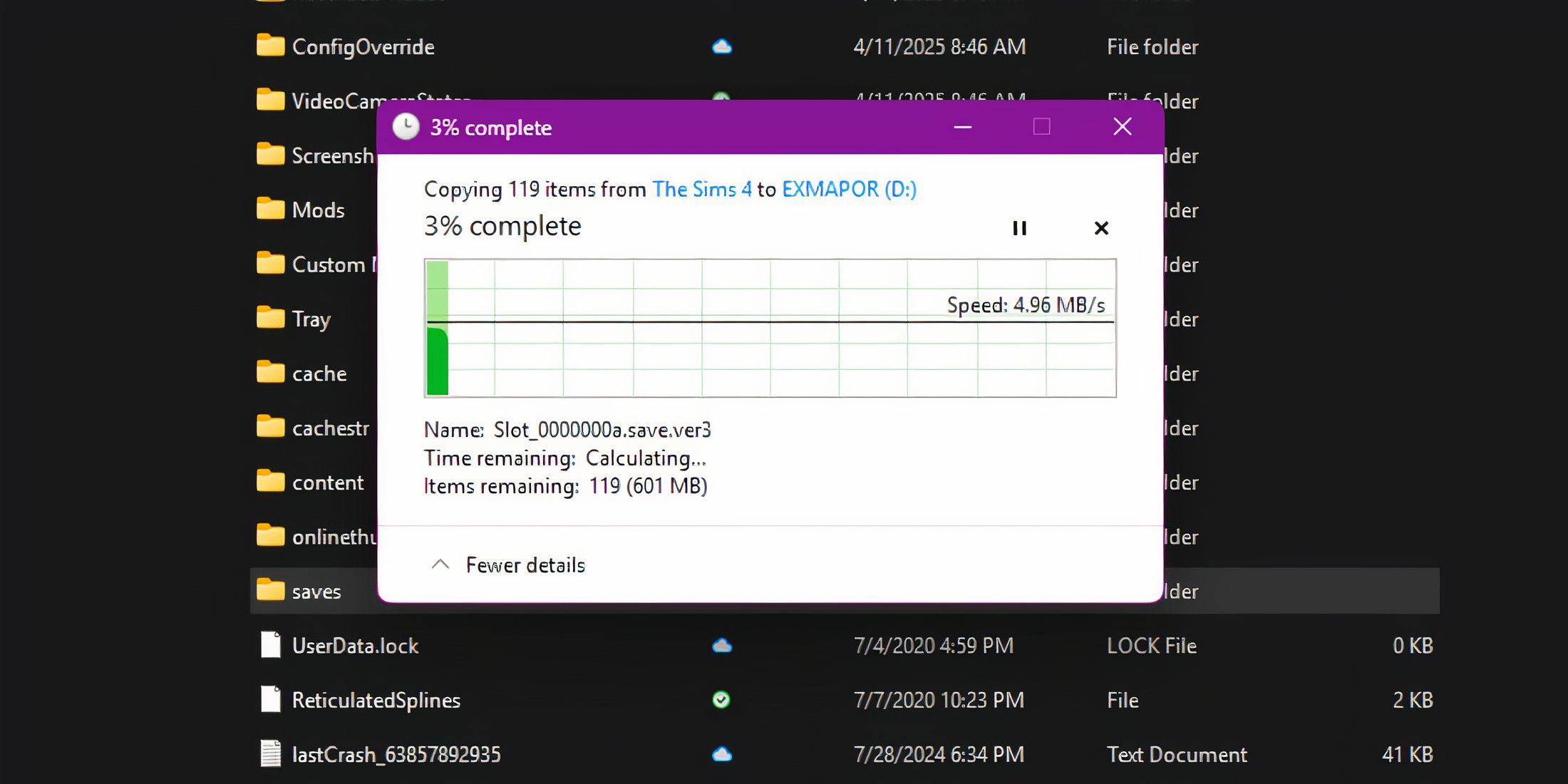
To back up a save, players must copy the entire file (or files) associated with the desired slot and paste them into a secure location, such as an external hard drive, USB stick, or cloud storage service like Google Drive or Dropbox.
Regular backups ensure that players can always return to a stable game version if something goes wrong. PC players can download certain mods that allow them to autosave their Sims 4 files, but using mods carries risks.
How to Recover Saves in The Sims 4

Players can also recover previous save files from the start-up menu in The Sims 4. If players have a bugged save after downloading new content into their game, they can reload a save before the new content. This may result in losing some progress, but at least the whole save isn’t ruined. From the start-up menu, do the following:
Select “Load Game”
Click on the file symbol underneath the Sim portrait
Choose the desired file to save from the list.
Recovering a save will name a separate copy of the save file with “Recovered” in the title. Managing save files may not be the most glamorous part of simming, but it’s undoubtedly one of the most important, particularly for mod users. For dedicated players, it’s a small investment of time that protects their Sim universes, whether they take on a ten-generation legacy challenge or build a Victorian mansion over several weekends.
