'/%3E%3C/svg%3E)

'/%3E%3Cpath%20fill='%23b2b2b2'%20d='M241%20382q0%2016%2017%2026%2017%2011%2042%2011t42-11q16-11%2017-26V269H241'/%3E%3Cpath%20fill='%239f7e00'%20d='M241%20379q0%2014%208%2023%209%209%2021%209%2014%200%2021-9%209-9%209-23V269h-59'/%3E%3Cpath%20d='M241%20339v-70h59v110q0%2014-9%2023l-6%205v-68h-15v72q-8%200-14-4v-68zm59%2040c0%2022%2015%2032%2029%2032%2021%200%2030-18%2030-32v-40h-59'/%3E%3Cpath%20fill='%239f7e00'%20d='M266%20277v5h2v12h-3v-5h2v-5h-9v5h2v5h-4v9h3v18h-5v10h34v-10h-5v-18h3v-9h-4v-5h2v-5h-9v5h2v5h-3v-12h2v-5zm42%20101q0%2010%206%2017%206%206%2015%207%2010-1%2016-7%206-7%206-17v-29h-43'/%3E%3Ccircle%20fill='%230044ad'%20cx='329.5'%20cy='372'%20r='6'/%3E%3Cellipse%20fill='%230044ad'%20cx='300'%20cy='340'%20rx='16'%20ry='21'/%3E%3C/svg%3E)


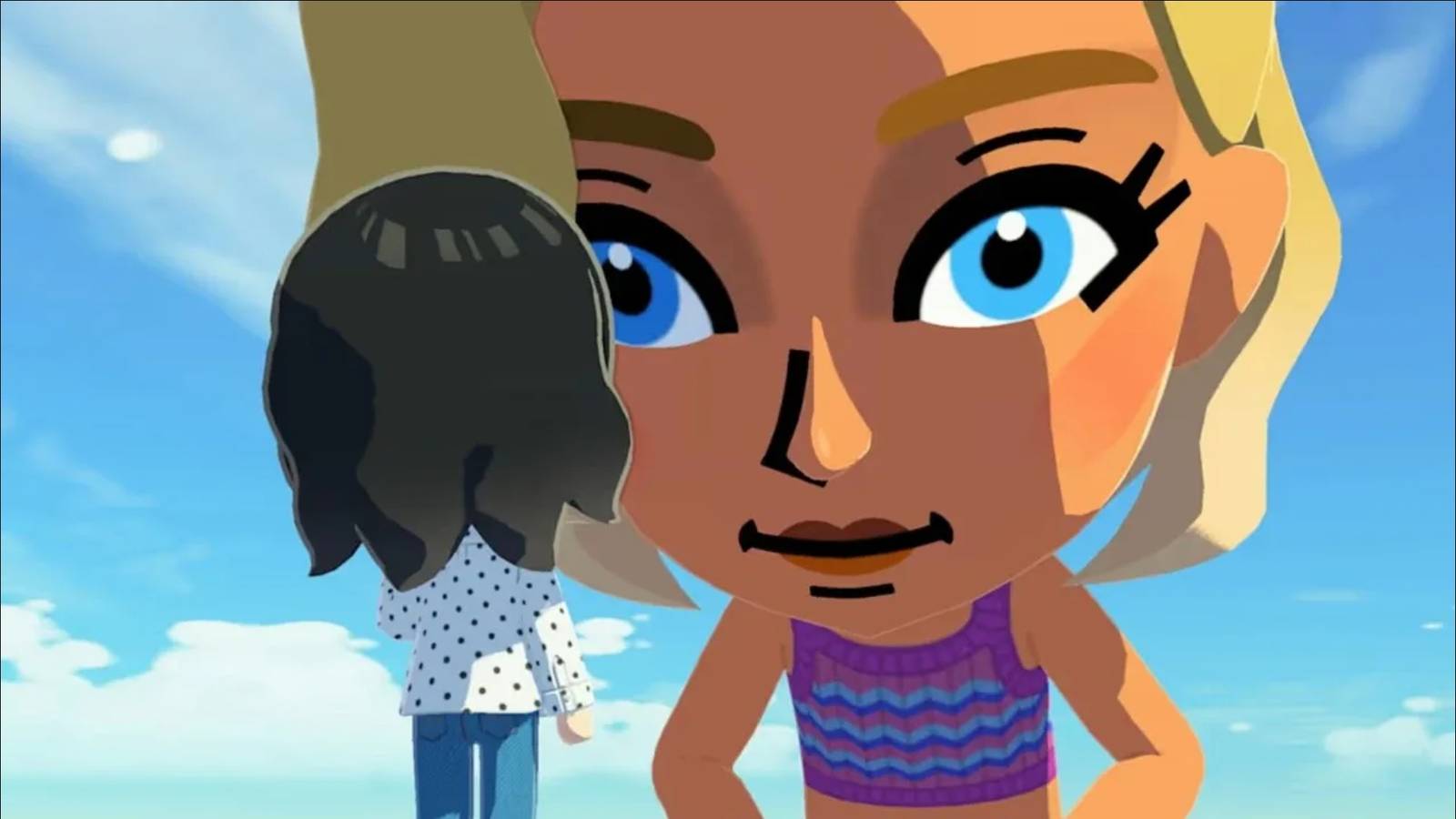


In Tomodachi Life: Living the Dream, the Miis you create will live out their own lives. They’ll talk with other Miis about random topics, decide who they want to be friends with, and play with different items you give them. Topics you share with one might spread like wildfire across your island and become the talk of the town. You don’t directly control these Miis, though. Instead, you as the player will help create Miis, guide them to friendships, help build out the town, and keep the citizens well-fed and happy through your actions.
You’ll also get to interact with your Miis on occasion, and when you do, they’ll call you by a ‘player name’ that you set at the beginning of the game. If the player name you set in Tomodachi Life: Living the Dream isn’t doing it for you anymore, then there’s a setting where you can change this.
Related
No, Tomodachi Life: Living the Dream Isn’t Just “Animal Crossing With Miis”
Tomodachi Life: Living the Dream is Nintendo’s next big life simulator, but what distinguishes it from its older brother Animal Crossing?
How to Change What Miis Call You in Tomodachi Life: Living the Dream
To change the player name, press X and go to the ‘Settings’ option at the bottom of the menu that appears on the right-hand side of the screen.
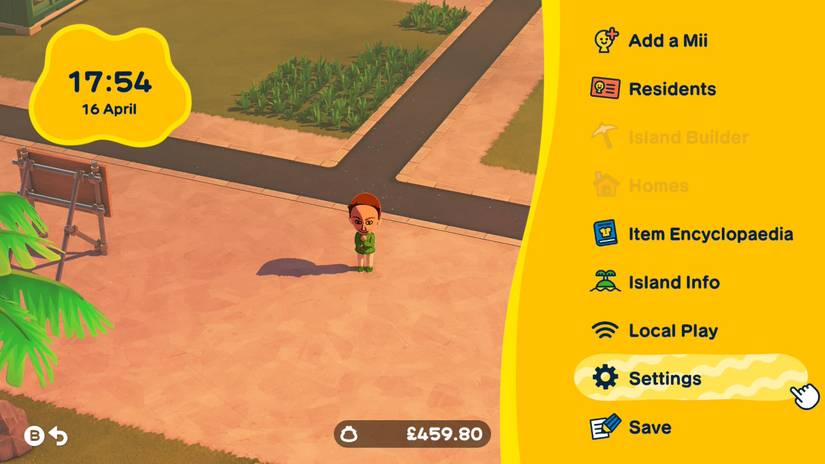
From here, select ‘Player Settings’ and then press A on the name that is next to ‘What Mii characters call you.’ This screen will then give you a number of preset options at the bottom, and then two options on either side of your existing player name.
Use the ‘I’ll type it out!’ option to type out the name that you want. To the right of the name, you’ll see a mouth icon with lines coming from it. Click on this, and you’ll be able to enter the pronunciation of the name that you want. In some instances, such as in my silly example of ‘goat king,’ you might not need to type out a pronunciation here, as the game will get it correct.
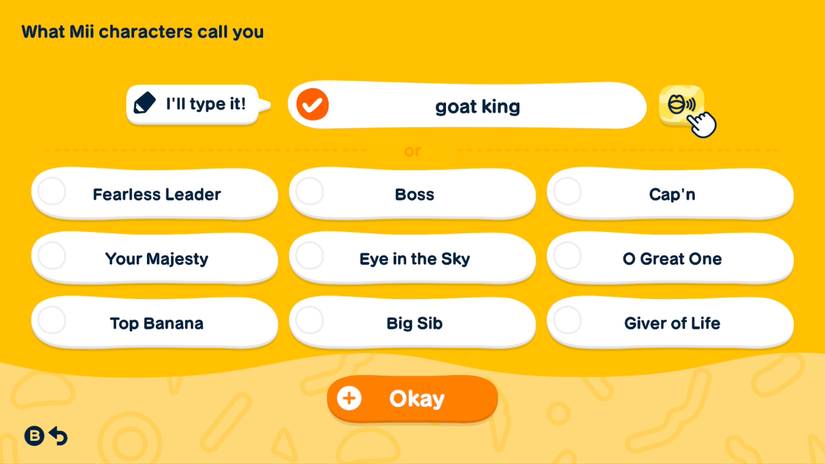
If the game isn’t pronouncing the name as you want it to, then you’ll need to type the phonetic spelling of the word. For example, the name ‘Rach’ would need to be phonetically spelled ‘Raytch’ so the game says it correctly.
You can check that the game is pronouncing your name correctly by clicking on the mouth icon to the right of the name again. If you’re still not happy, keep adjusting the phonetic spelling until the game gets it right.
As the option suggests, this is the name Miis will call you when they interact directly with you. This is normally when they want you to help them with something, such as befriending another Mii. In the ‘Player Settings’ menu, you can also change your birthday, selected hand color, and region.
It’s also possible to edit and delete Miis if you’ve decided it’s time for a change (and you can share screenshots and videos from the game, despite Nintendo trying to make it more difficult to do so).

Released
April 16, 2026
ESRB
Everyone / Comic Mischief, Mild Fantasy Violence
Developer(s)
Nintendo
Publisher(s)
Nintendo

